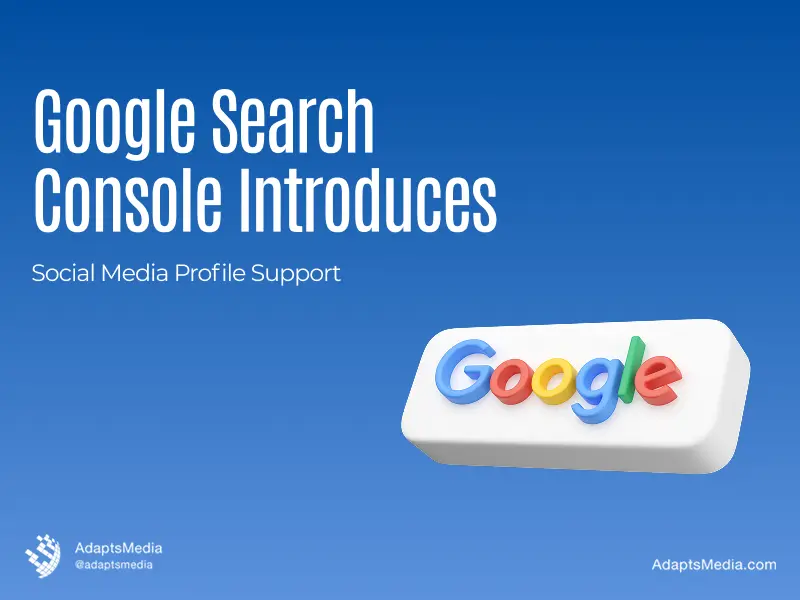
If you post on Instagram, TikTok, X, or YouTube, Google just gave you a new way to see exactly how that content performs in Search. As of July 29, 2026, this feature is called platform properties. It is now available to everyone, worldwide, and Google has also published a full guide on how to read the data.
Highlights:
- New “platform properties” feature covers four platforms: Instagram, TikTok, X, and YouTube.
- Works for social/video creators.
- Rolled out from July 7, fully global by July 29, 2026.
- Three reports per account: Performance, Insights, and Achievements.
- Use query groups, the 24-hour filter, and comparison mode to guide content decisions.
- It’s a measurement tool only.
What is this New Feature, “Platform Properties”?
A platform property is a new type of Search Console property. Search Console traditionally was only useful when you actually owned (and had verified!) your own website. Now, a platform property allows you to hook your Instagram, X, TikTok, or YouTube page right in. You don’t need a website to benefit.
This matters because social platforms only tell you how content performs on their own app or site. They have no idea what someone typed into Google before they clicked through to your post. Platform properties fill that gap. They show you the actual Google search queries that led people to your videos and posts, across Search, Discover, and Google News.
Google first introduced this on July 7, 2026, and rolled it out to accounts gradually over the following weeks. As of July 29, it’s fully open -every eligible account, on all four supported platforms, can now use it.
How to Connect Your Social Media Accounts to Search Console?
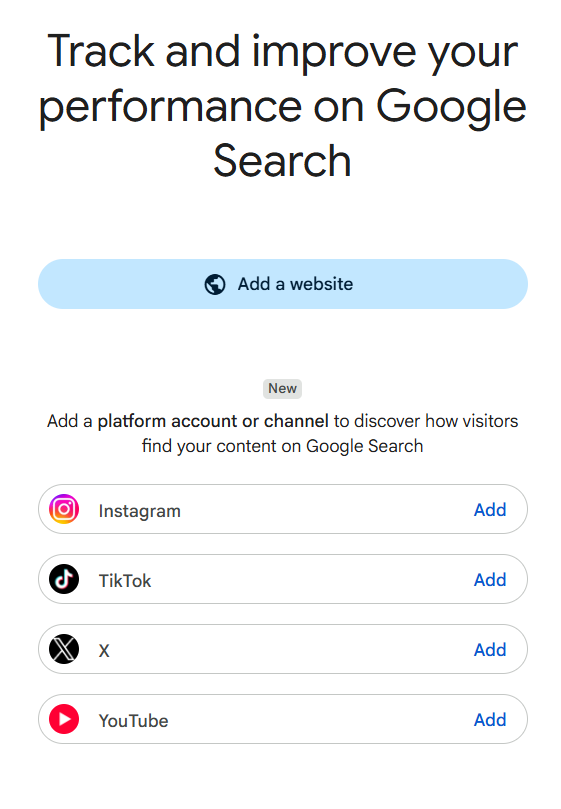
1. Go to Search Console: open search.google.com/search-console and sign in with your Google account.
2. Start adding a new property: click “Add property” located in the property selector dropdown menu at the top left of the sidebar.
3. Choose the platform property option: Select the account type (Instagram, TikTok, X, or YouTube) instead of entering a URL.
3. Verify your account: Follow Google’s verification steps for that platform.
4. Repeat for each platform: You’ll need to verify each social account separately; there’s no single “connect everything at once” option.
5. Check if it’s already done for you: Your social media accounts would be linked if you have claimed a “Search profile” earlier; ensure that the property list is not being updated yet before you create it new on your own.
What You Can Track
Each platform property gives you three reports:
- Performance report: Total clicks, impressions, click-through rate, and average position, filterable by query, post, country, or device.
- Insights report: An easy high-level takeaway: what traffic movement you’ve had for the last 28-days, what posts did well, and where the audience comes from.
- Achievements: Crossing milestones such as reaching a new click threshold for any rolling period in 28 days.
How To Actually Use This Data
Google’s guide lays out several practical ways to put this to work. Here are the ones worth building into your routine:
1. Use query groups for content ideas
You’ll also see a card in the Insights report for Search Terms that bundles together your search queries by themes or sorts them by top keywords, as well as those trending up and trending down. It’s just such a fast way to get a peek at what people are really looking for on (platform) that can spark inspiration for your next video idea, caption, and hashtag.
2. Check the 24-hour filter for fresh spikes
It shows you search data from just the last 24 hours, instead of the usual multi-day view. So you can catch a spike almost as it’s happening, not days later.
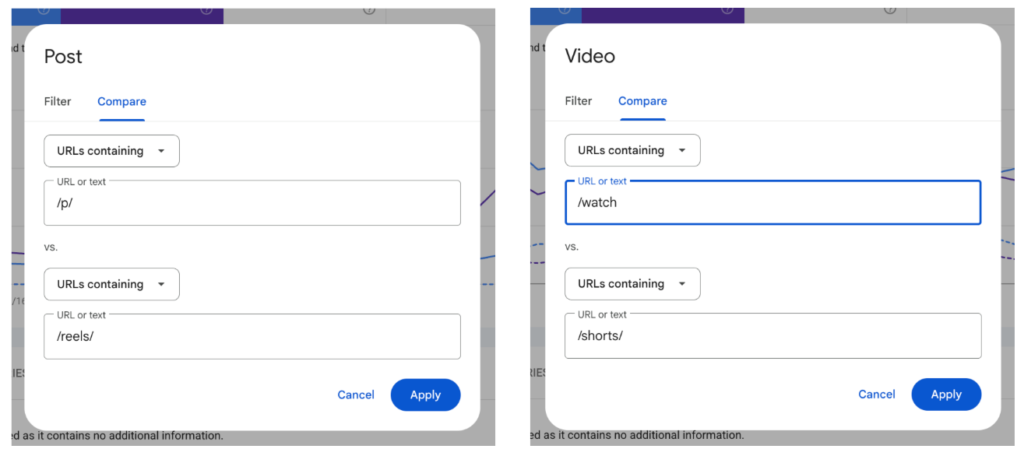
3. Compare content formats directly
You post both long videos and Shorts on YouTube, Instagram, and Tiktok both. You want to know which format is actually pulling more search traffic – not just views on the app, but clicks from Google.
4. Revive old content that’s trending again
You ever have an old post get traction from nowhere in search, and you have to rack your brain to figure why it is – a holiday, a popped-out cultural reference? When that happens, Google gives three options:
- Pin it to the top of your profile/feed so new visitors see it first while it’s hot.
- Talk about it again on your other platforms – post a story, tweet, or short mentioning it, to funnel the renewed interest across channels.
- Make a part 2: A follow-up piece that rides the same wave of interest instead of leaving it to fade.
5. Track the impact of edits with annotations
As a result, you might feel more comfortable creating an annotation in Search Console to mention this date if you rewrote a title or a caption. They don’t launch an actual A/B test, though. It just makes an annotation to compare before & after the change.
6. Export and compare across platforms
There’s not really a one-size-fits-all Dashboard covering all four, so you will need to export each property individually and compare. This can be handy for seeing, for instance, if your YouTube is bringing in more search traffic than your TikTok content.
You can learn more about the Google Search Console Platform Properties here: Google Search Central Update.
What This Feature Is Not
It’s worth being clear about the limits here.
- Platform properties do not index your website
- Do not affect your website’s rankings
- And do not guarantee that any post will show up in Search results.
This is a measurement tool, not a ranking lever. Your regular website property in Search Console still matters just as much as it did before; this simply adds a new lens for content you’re publishing on social media platforms.
Getting Started
Platform properties are live and available to everyone right now – there’s no reason to wait. Head over to Search Console, connect your social media, spot your trending posts, catch fresh spikes early, compare what formats are actually performing, and use annotations to see if your edits are paying off.
Not sure how to turn this data into actual content or SEO strategy? That’s exactly what we do at Adapts Media. Get in touch with our team, and let’s turn your Search Console numbers into real growth for your brand.
Frequently Asked Questions
No. Platform properties work for creators and brands without any website. You verify your social or video account directly, and Search Console tracks its search performance independently of any site you may or may not own.
Four platforms: Instagram, TikTok, X, and YouTube. Facebook was part of an earlier December 2025 test but isn’t included in this July 2026 launch. Google may add more platforms in future updates.
No. This is purely a measurement tool. It shows how your existing posts perform in Search; it doesn’t influence rankings, indexing, or visibility. Improving performance still depends on your content and optimization efforts.
Yes, it’s completely free, just like the rest of Search Console. There’s no premium tier or paid unlock. Any creator or brand with an eligible social account can connect and start tracking data immediately.
Not automatically. Search Console doesn’t merge platforms into one dashboard. You’ll need to export data from each platform property separately, then combine and compare it yourself in a spreadsheet or reporting tool.
Not directly, but it shows the exact search queries driving traffic. Reviewing those query groups helps you understand what topics or phrases resonate, so you can shape future titles and captions accordingly.